63252✽
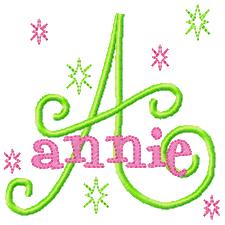
Can someone please explain to me how you design "STACKED NAMES"? TIA
Today's free design

A free embroidery design every day
Cute Embroidery gives away one design every day, and the community votes for tomorrow's.
Comments (3)

145308✽
Monica, I don't know what software you have. In Embird you can get rid of underlying stitches by using the 'mask' feature; Husqvarna / Pfaff 3D and 4D can remove them automatically too. So you just design the initial, then place the name on top and remove the unwanted underlying ones. But I've no idea how that function is called in other brands of software.
2 comments

Glad you answered that question Martine - I had no idea what it was about? Love Chris
Thanks, I have to find out if my SW has it ;D *2U

58029✽
What are stacked names????????
1 comment
You can see what stacked names are at this site ;D *2U
http://www.creativeconnectionsembroidery.com/zenshop/index.php?main_page=index&cPath=9
http://www.creativeconnectionsembroidery.com/zenshop/index.php?main_page=index&cPath=9

12707✽
This sample is from Five Star Fonts--she has some really cute samples in the gallery, or you can order her fonts. First you load the design that will be on the bottom (in this case "A"), and then the top design (name). If you are designing your name from a fonts alphabet, it would probably be easier to combine those letters into one design, so you won't have (in this case 6 layers. Any other designs can be on any layer because they are not overlapping anything. Then combine the two layers "stacks" into one, and your software will will remove any overlap--at least 4D embroidery will. I'm sure there are more Cuties out there with their thoughts and advice. Hope this helps.