












 190✽
190✽
I have the crossed in 4 different sizes but the larger sizs i have stitch out and bunch up and it cases the tread to break and pucker up the design really bad. I dont know how to digitized and i know that mostlikely what i have to have done. If that be the case I can email my crosses if some one could help me out there. You can also email me if u like. puddy5222@yahoo.com. Ive been trying for 3 weeks and im running out of time. The event is Sunday and im getting desprite. Help Please if u can. Just advice if u can anything is greatly appreciated.
Comments (4)
 6491✽
6491✽
Do you know where the design comes from that you can give a link?
By law you can not email anyone the designs.
Also most digitizers do not allow manipulation of their designs in their copyright agreement. If we knew the site that they came from we could be certain of the terms.
How many stitches are in the 5" and 6" designs?
It sounds to me like it may be a stabilizer issue.
Do you have software that you can get a picture of the design and upload it here?
By law you can not email anyone the designs.
Also most digitizers do not allow manipulation of their designs in their copyright agreement. If we knew the site that they came from we could be certain of the terms.
How many stitches are in the 5" and 6" designs?
It sounds to me like it may be a stabilizer issue.
Do you have software that you can get a picture of the design and upload it here?
7875✽
To Resize and reduce the density of a design:
1.Open the design in Layout and Editing.
2.Choose the design Page property 5X7.
3.Check the Stitch Simulator and note the number of stitches.
4.Go to Edit down that column choose Numerical Setting.
5.Choose Size. A box opens now click the % button and reduse to 70%. Also Check a x in the KeepDensity box.Click OK.
6.Go to Edit again down the column choose Numerical Setting.
7.Choose Size. The box opens now click the % button and raise the % to max (keep Clicking till it stops).Now set it down by only ten numbers less.[e.g from Max of 220% down by ten will be 210%].
8. DO NOT CHECK THE X IN THE KEEP DENSITY BOX.
9.Click OK.
10.Go to the Stitch simulator and you will see that the number of stitches are greatly reduced.
I do this with a lot of designs and by trial and error you will begin to judge the % of stitches that you want to reduce.
Some designs are too dense for a T-shirt so I will do the same thing for them.
To summerize:
Reduce the size with the Density checkbox X. Then increase the size and not X the Density checkbox.
From Bev
1.Open the design in Layout and Editing.
2.Choose the design Page property 5X7.
3.Check the Stitch Simulator and note the number of stitches.
4.Go to Edit down that column choose Numerical Setting.
5.Choose Size. A box opens now click the % button and reduse to 70%. Also Check a x in the KeepDensity box.Click OK.
6.Go to Edit again down the column choose Numerical Setting.
7.Choose Size. The box opens now click the % button and raise the % to max (keep Clicking till it stops).Now set it down by only ten numbers less.[e.g from Max of 220% down by ten will be 210%].
8. DO NOT CHECK THE X IN THE KEEP DENSITY BOX.
9.Click OK.
10.Go to the Stitch simulator and you will see that the number of stitches are greatly reduced.
I do this with a lot of designs and by trial and error you will begin to judge the % of stitches that you want to reduce.
Some designs are too dense for a T-shirt so I will do the same thing for them.
To summerize:
Reduce the size with the Density checkbox X. Then increase the size and not X the Density checkbox.
From Bev
 7056✽
7056✽
Do you have pe design ? I didnt get that from your post. It may be a bad digitized design and cant be reduced in density without destroying the integrity of the design .(holes , blank spaces )
7875✽
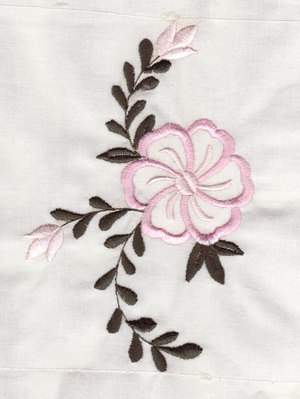
Here is a pic of my large blocks quilt.
From Bev
From Bev
1 comment
P.S. Also another piece of tearaway stabilizer on top before I stitch the design, does no harm, after a washing the bits of paper left are gone.