













26714✽
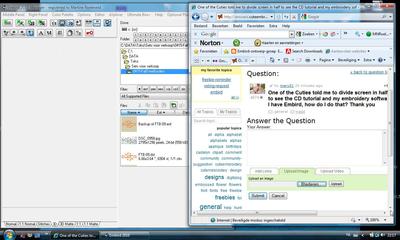
One of the Cuties told me to divide screen in half to see the CD tutorial and my embroidery software I have Embird, how do I do that? Thank you
Comments (9)

11259✽

145307✽
Just open one and resize the window, the open the second and resize that and put them next to each other.
3 comments

That's how I've done it for years and sometimes I have 4 or 5 different windows on the screen. It's fun!
Love and blessings Chris
Love and blessings Chris

Yes, this works well. I do this when I want to move designs from one place to another.
Interesting but please how do you resize the window. Sally

115791✽
by
asterixsew
17 Aug 2010
+2✽
Thanks to those for their answers, I am going to try this with PE design. Not sure how it will work but I wont know till I try
26714✽

24342✽
A silly question from me how do you resize the window. Sally
2 comments
you can resize a window by putting you mouse on the edge of the screen it will turn into a arrow pointing both ways click and drag the window to the size you want.
It is not silly for me, I was going to ask how to resize. Now I could "play" with Embird and tutorial CD. hope to learn enough and post some designs in our site LOL

40399✽
In the right hand corner of your window are three boxes, a minus sign, a square, and a X. If you left click on the square, it will reduce your window. To make it bigger again, left click on it again.

27608✽
10073✽
Many thanks for this information - I appreciate any information on Embird which is such a powerful programme with so many things to learn

17461✽
by
michele921
18 Aug 2010
0✽
you can also open both windows then right click on the task bar at the bottom of the screen a menu will pop up you will have options to cascade windows,show windows stacked or show windows side by side. just make sure you unstack them before you close the windows or they will keep opening that way.