













28916✽
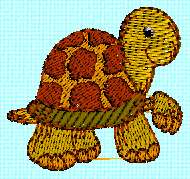
For the digitizer, pes-design,if you take the T of the today alpha as an example: how do you digitize it without having the color of the T under the turtle?
Comments (5)
28916✽

11259✽
are you saying you only want the turtle? if so you can edit it but then his little hand is detached from the body
1 comment
no,I would like to know how to digitize 2 designs,like the T and the turtle together and not to have the turtle over the complete T

23222✽
It can be done and pretty simple but I don't know your software. Mine is 4D. Sorry, I see you were needing to fix the T as well. I'm not a digitizer but I'm sure another Cutie will help you!
1 comment
thanks
28916✽
the T of the turtle was just a example, what I want to do is be able to digitize 2 designs and not to have 2 layers , just like the turtle

145307✽
Most programs have a function called 'mask' or 'remove underlying stitches', sometimes in the digitising part, sometimes in editing or in the basic module. Make sure you have the right one on top.
I haven't got the PE-7 software, so I can't tell you how to do it, but have a look in the help-function.
I haven't got the PE-7 software, so I can't tell you how to do it, but have a look in the help-function.
2 comments
Thanks
I find that with PE-7, I can remove underlying stitches only if one design is completely inside the other