











 14353✽
Pest here again. I saved how to post a picture and can't find it Help please so I can post to Christmas in July
Comments (2)
 122866✽
Now to place a photo click on the reply ANSWER THIS MESSAGE, type a few lines because it won't accept a post without some text in the box.
Then if you look at the tabs directly below the text box: where it says ADD LINKS, click on the UPLOAD IMAGE tab, then when it opens, click on the BROWSE, then scroll through your computer folders until you find where you saved the photo, select the photo and click on the UPLOAD tab, (Beside the Browse tab).
Wait until the photo shows on the screen, then click on the SUBMIT button.
Hugs n roses, Meganne
Then if you look at the tabs directly below the text box: where it says ADD LINKS, click on the UPLOAD IMAGE tab, then when it opens, click on the BROWSE, then scroll through your computer folders until you find where you saved the photo, select the photo and click on the UPLOAD tab, (Beside the Browse tab).
Wait until the photo shows on the screen, then click on the SUBMIT button.
Hugs n roses, Meganne
1 comment
thank you
14353✽
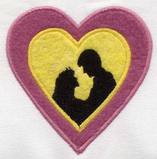
I will try it here

2 comments

Well done - Now do it again in the other thread!
Lovely gift BTW