













92175✽
In pictures.
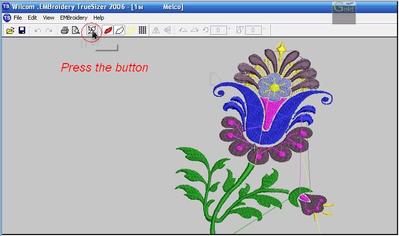
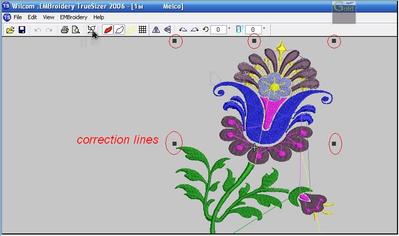
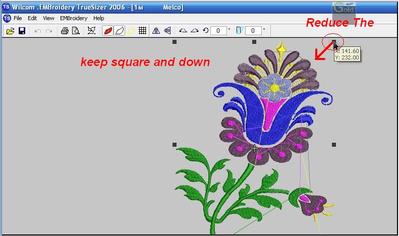
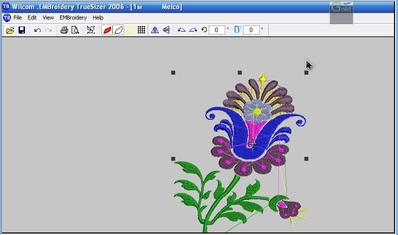
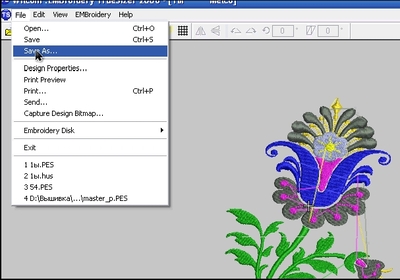
Reduction and increased in 2-3 phase
Comments (21)
92175✽
In pictures.
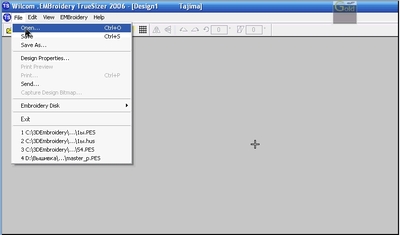
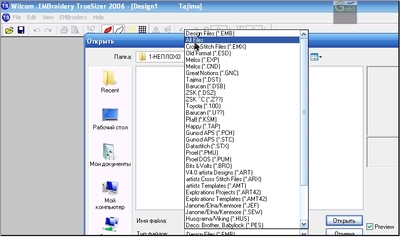
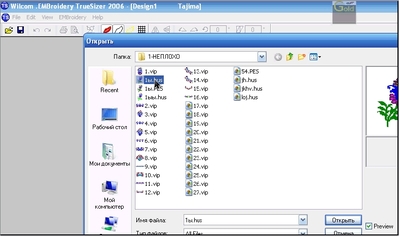
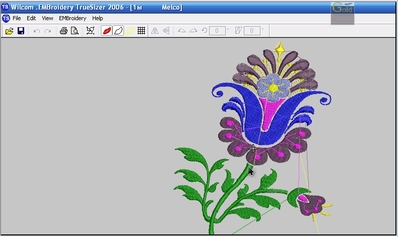
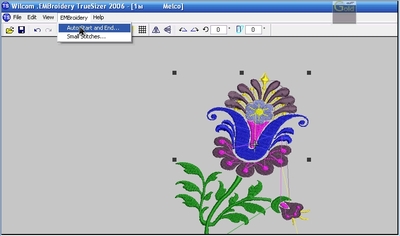
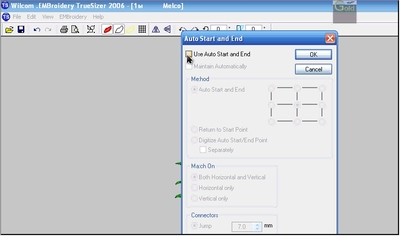
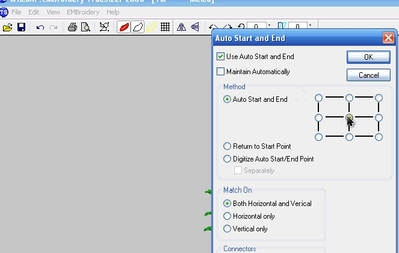
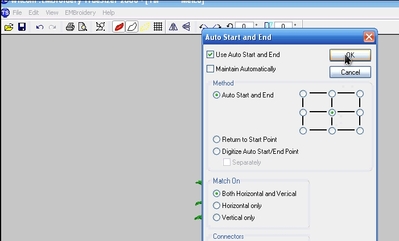
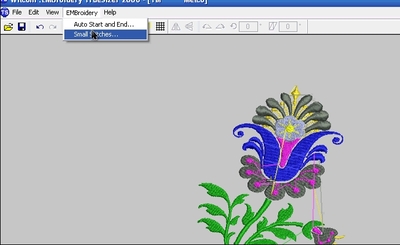
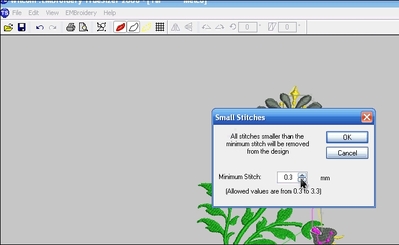
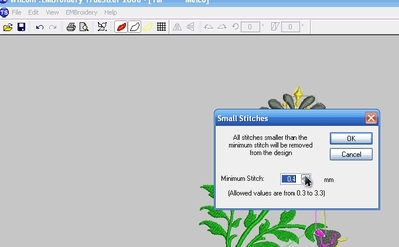
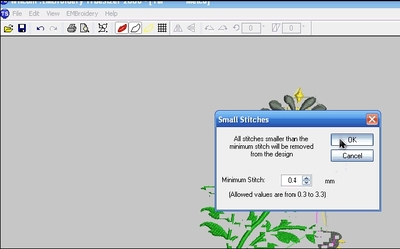
12 comments
ttt

How wonderful of you to put this up for those of us who don't know how to do this. Love and blessings Chris
ttt
ttt
ttt

Thank you for taking the time for this tutorial.
ttttt
ttt

Very well done! Thank you!
ttt

ttt
ttt with hugs

3934✽
3934✽

4886✽
17229✽

26714✽

16251✽
by
terriweistra
03 Sep 2011
+6✽
Thank you Katerina for this tutorial!! I have been fumbling around trying my best and now I will be able to do it!!! Hope you have a lovely weekend Here's a sweetpea for you!!!


255066✽

27028✽

6155✽
by
buffeebabee
03 Sep 2011
+4✽
I use Wilcom all the time but have never used the remove small stitch feature. How does this help and what should it be set on? Also haven't ever used the auto start and end feature. I have always just saved after I shrink the design. Will these two new features help the design do better? Thanks.
2 comments
Yes!
Two new features will help design do better!!
Two new features will help design do better!!
Reduction and increased in 2-3 phase

7293✽
I saw these features in the tutorials but haven't tried them yet. I have DigitizerPro so only use Truesizer for converting Art and Pes to jef. I think I have some experimenting to do just for the sake of learning. Neither program is capable of fully converting a rendered design back to a native design.

38558✽
by
blueeyedblonde
04 Sep 2011
+3✽
thank you - I wasn't sure how and haven't had the time to play - so thank you so much for this tutorial.
16311✽
by
justonlyme
05 Sep 2011
+4✽
I've read about Wilcom Truesizer. Some people say that it will resize but not change the stitch count. Others say that it changes everything proportionally. Both cannot be correct. Does it increase the size and stitch count or decrease the size and stitch count proportionally, or does it just make the same number of stitches larger or smaller? That is an awkward question, but if you can decipher my meaning, I would really like to know. Thank you for the tutorial.
6 comments
Если вы сделаете, как показываю, то изменение стежков будет правильным !
Используйте сами! Нужен опыт, что бы понять.
Используйте в 2-3 этапа, это важно!!
If you do, how to show, changing the stitches will be right!
Use for yourself! Need experience to understand.
Use in 2-3 phases, this is important!!
Используйте сами! Нужен опыт, что бы понять.
Используйте в 2-3 этапа, это важно!!
If you do, how to show, changing the stitches will be right!
Use for yourself! Need experience to understand.
Use in 2-3 phases, this is important!!

Wilcom Truesizer does NOT increase or decrease the stitch count when you resize. It just resizes. If you make the resize too small or too large, your design will suffer for it.
justonlyme: translation from katulle is:
If you do, as shown, then the change to the number of stitches will be right!
Use it yourself! Experience is necessary to understand that.
Use 2-3 stages
If you do, as shown, then the change to the number of stitches will be right!
Use it yourself! Experience is necessary to understand that.
Use 2-3 stages

Justonlyme. The success or failure of resizing any design, depends on how it was digitised in the first place.
Some techniques do not resize as well as others, so you should watch the stitch count and if it doesn't change with the resize, then you will know it hasn't worked correctly.
Reduction can cause a design to be too dense.
Increasing can cause large gaps or, in the case of satin stitch, massive jump stitches..
In the case of some manually digitised designs or FSL, they can come apart because when increased there could be whole rows of stitching, missing. OR, if decreased the rows could stitch out on top of each other, disaster either way.
It is all trial and error.
Some techniques do not resize as well as others, so you should watch the stitch count and if it doesn't change with the resize, then you will know it hasn't worked correctly.
Reduction can cause a design to be too dense.
Increasing can cause large gaps or, in the case of satin stitch, massive jump stitches..
In the case of some manually digitised designs or FSL, they can come apart because when increased there could be whole rows of stitching, missing. OR, if decreased the rows could stitch out on top of each other, disaster either way.
It is all trial and error.
will know it hasn't worked correctly.
Reduction can cause a design to be too dense.
Increasing can cause large gaps or, in the case of satin stitch, massive jump stitches..
In the case of some manually digitised designs or FSL, they can come apart because when increased there could be whole rows of stitching, missing. OR, if decreased the rows could stitch out on top of each other, disaster either way.
It is all trial and error.
Reduction can cause a design to be too dense.
Increasing can cause large gaps or, in the case of satin stitch, massive jump stitches..
In the case of some manually digitised designs or FSL, they can come apart because when increased there could be whole rows of stitching, missing. OR, if decreased the rows could stitch out on top of each other, disaster either way.
It is all trial and error.
apart because, when increased, there could be whole rows of stitching, missing. OR, if decreased, the rows could stitch out on top of each other, disaster either way.
It is all trial and error.
It is all trial and error.
1128✽
by
anothrcookiejar
06 Sep 2011
+2✽
Thank you so very much...I'm going to have to give this a try!

33986✽
Wish I have some instructions like these for my embird...
Greetings, Bettina
Greetings, Bettina

6515✽
the Wilcom manual is great and I successfully stitched out the design (I made a mess of) today with reduced stitches. A great day when I joined the Community.
thank you and all cuties very much.
Madeline
thank you and all cuties very much.
Madeline
3781✽
92175✽

763✽
Thank you.
1 comment
Welcome to the Cute family BiddySews, I hope you will be with us for a long time and watch your garden grow.
Hugs n roses, Meganne
Hugs n roses, Meganne

360672✽
can you please put the url (i think thats what it is called) to the free one so i can go get it please hugs carolyn

11220✽