













1842✽
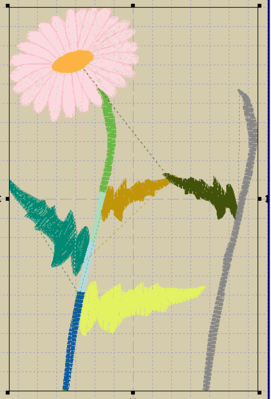
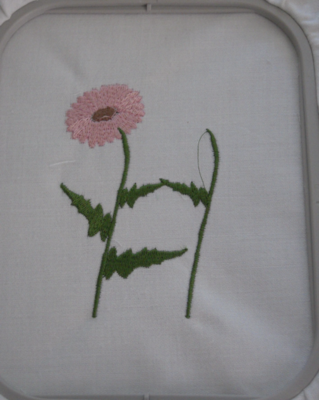
ok. Here's the "finished" embroidery....But I'm not thrilled with it :( On the surface it's fantastic :) Unfortunately I have a lot of jumps in the .eof because I did the daisy first and then got the idea about the 'H' afterwards. I remember someone mentioned "connections" to reorganize the stitch order in the eof...Did I remember correctly?
1 links:
[1]
http://www.screencast.com/t/EZPbxoQqshvm
www.screencast.com
Comments (10)
1842✽
still getting used to the new system. here's the link for the jumps

22595✽
by
queenofhearts
14 Sep 2011
+9✽
link doesn't work.
2 comments
ty queen. maybe i should just walk away from the computer at this point :) I am still trying to figure out what i'm doing wrong. I am pasting the whole link but when I hit submit it gets cut off...I don't understand....

I had that happen on one of the other thread discussions. I tried several times and never did get it to completely take hold. Just another glitch that will have to get resolved some time or other.
1842✽
grrrr silly me...I'll get it right at some point
1 links:
[1]
Jumps for Daisy H
www.screencast.com
1 comment
apparently technology and I are having a small disagreement today http://www.screencast.com/t/DKai8icOo5HW
1842✽
lol let's try this for a 4th time...
1 links:
[1]
Jumps - hope it works
www.screencast.com

115794✽
by
asterixsew
14 Sep 2011
+8✽
Sorry after all your efforts its still not up. But I look forward to seeing it so do try again
1842✽
apparently there is a problem with the site. booo... I'm going to try to upload images
2 comments
i think i might just go nuts at this point :(
yeahhh!! it worked. ok. the Embird picture has mutli-colored leaves because I was trying to rearrange the stitch order. with the leaves and stem being the same color it made the rearranging EXTREMELY difficult.
115794✽

89895✽
Looks good. Someone mentioned a day or so ago their picture didn't show but clicked out came back and it was there.

145307✽
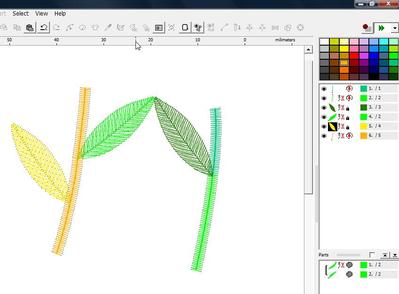
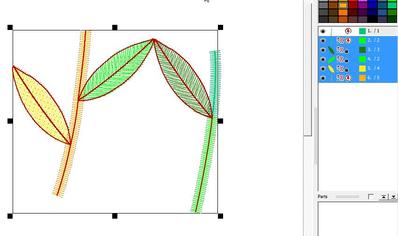
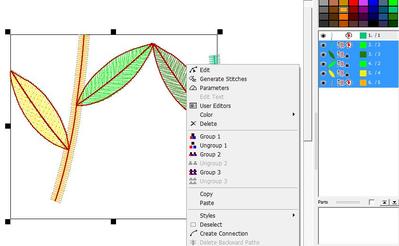
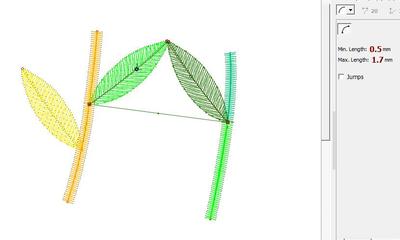
When you place your leaves and stem in the order you want them, which I would as stem on the right in two parts, leaf on the right stem, then leaves on the left stem, then the left stem, you'll see a scissors symbol for all of them. Select them (except the first one), right click and choose 'make connections'. Now you can edit the connection stitches so that they stay inside the different objects. Easy as pie if you know how to.
145307✽
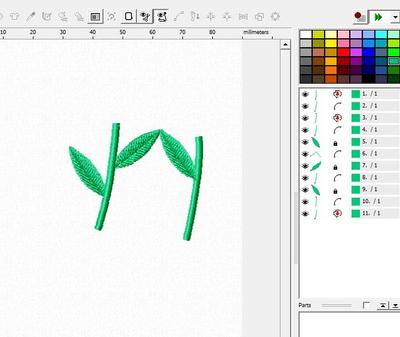
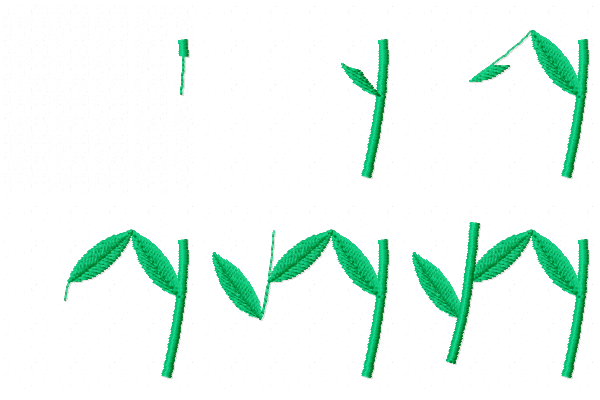
I made this for demonstration purposes. Pic#1 has the stems and leaves in different colours in the order I want them (would have been just as easy if they were all the same colour), pic#2 the objects are selected, pic#3 I right clicked and get this menu, choose 'create connection', pic#4: I edited the connection between the two leaves - should have digitised the leaves to start at the points, not the stem - now the connection stitch show , but noticed that too late, pic#5 gave them all the same colour. Hope this helps.
1 comment
TY mops! this helps a LOT :)