













17488✽
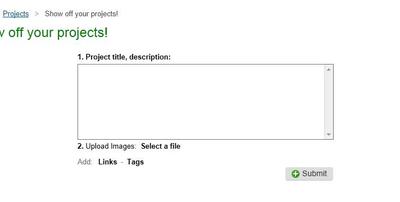
Could someone please tell me how to upload a photo in projects. All I see is (links & tags) no image uploads.
It sure will be nice when this site is finished, and all the bugs are out of it. Has anyone gotten any news about the site? I've been busy and haven't had much time to spend on the computer.
Mary Ann
Comments (4)

24276✽
Got to projects at the right you will see, " upload your project" just above the search box, Hope this helps.

145307✽
17488✽
I don't have any of that on my page. All I have is the box with links and tags. No select, no upload. Nothing else comes up
1 comment
I go to projects, and upload projects and under the box is just links and tags. So I guess the page doesn't work for me.

39739✽
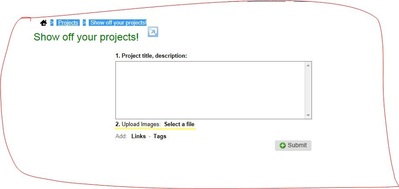
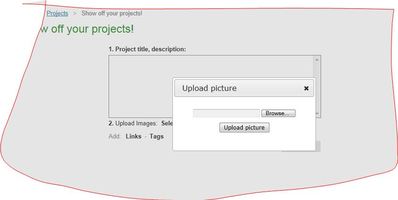
Hope this helps. hugs Helen
1 comment
When I go to this page for projects, I get the white box, but I don't have all that stuff. Nothing about project tile, upload, or select a file. I only have the part... Add links and Tabs. Nothing else. That's all I get is the white box with links and tabs under it.