













67271✽
how do you load more than one picture at a time in projects. I have a 3 sided project I would like to show.
Comments (4)

64451✽
Hi Bev
Load your first pic then answer your own question and download another pic and so on, I think that is how to do it,
Good luck
Hugs
Michelle from Montreal
Load your first pic then answer your own question and download another pic and so on, I think that is how to do it,
Good luck
Hugs
Michelle from Montreal
1 comment
Thanks Michelle.

140726✽
I put the three pictures into a publisher document, make the background coloured to give a border and then use the snipping tool to cut out the composite picture. Resave that and us it for your project. Sounds a faff, but only takes a couple of minutes. The snipping tool (Vista and Windows 7) is fantastic!

23163✽
by
greysewist
14 Apr 2012
+2✽
I use Irfanview, which is a free download, and use 'create panoramic view'. Just have to add one file or pic at a time then save.

1 comment

LOOKS FANTASTIC PRESENTED LIKE THIS MARIANNE. LOVE CHRIS

20276✽
I just use paint..
merge my photos together add text if required ect..
big hugs from London
Maria xx
merge my photos together add text if required ect..
big hugs from London
Maria xx
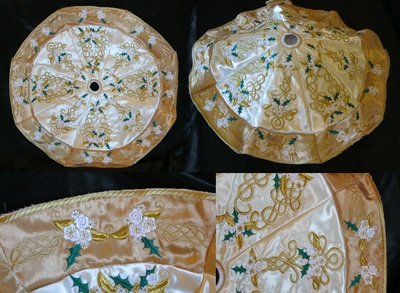
1 comment
Beautiful looking project, Maria.