













318634✽
Well, I'm officially Coo Coo for Peg Cozies! I tried to resist, but the Dragonfly was my undoing. Just trying to find them all now...and wishing there were a way to include a word file or Jpg in the download drop to include the picture and instructions and colors...what a timesaver that would be...don't know about you, but I need to copy and paste the details along with the download of the design to have the complete file...Oh me oh my, don't know why!
Comments (9)

38558✽
by
blueeyedblonde
19 Apr 2012
+3✽
I got to thinking that too bad there wasn't a file that held just the peg cozies!

37638✽
I made a Catalog file in word with pics and instructions for files I needed.
I agree my favorite is the Dragonfly.
I agree my favorite is the Dragonfly.

59631✽
by
hightechgrammy
19 Apr 2012
+2✽
That little dragonfly was over the top!
1 comment
He sure is! And stitches out great! If you use mylar be sure & leave it on there until you are finished so it will be caught all the way around.
59631✽
by
hightechgrammy
19 Apr 2012
+2✽
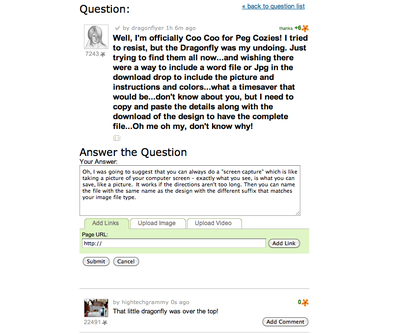
Oh, I was going to suggest that you can always do a "screen capture" which is like taking a picture of your computer screen - exactly what you see, is what you can save, like a picture. It works if the directions aren't too long. Then you can name the file with the same name as the design with the different suffix that matches your image file type. Like this below is a screen capture of this message. I do it on a Mac, but I believe there is a way to do it on Windows based computers. Maybe someone could explain how to do it.
Hope that helps a little....
Hope that helps a little....
1 comment
I found a print screen on my keybord, but not a screen capture??? Anyone know how this is done? Thanks...

30988✽
I know arnt they just so Cute, quick to stich out and so many uses.
Hugs Pam.
Hugs Pam.

70914✽
by
jacquipaul
19 Apr 2012
+1✽
Sometimes I copy and paste the info into a writing file and save it with the design.

35675✽
Most of the cozies are done the same way..get directions once & you have it! I sometimes open my word process program & go back & forth typing the directions for something in a doc. file then save it titled how I want. THEN I make a folder...as in "Peg Cozies from DBC" and put the doc. file in there with all the sewing files. The colors come up pretty much true to what they look like..but of course we all seem to change colors around to suit our style! Hope this helps. Oh, I also save the file by renaming it as to what it is instead of the cuteemb number..but that also means I can't find it on here later!!

13250✽
I made an excel spreadsheet that I keep track of where my designs are from, the number the site has associated with that design, and what I name it so I can identify what I am looking at. I also keep the size of the design when I can find it and what format I download it in. I then copy and paste onto other pages in my spreadsheet so that I can sort however I want - like by name. As far as instruction on how to make something, I do the copy and paste to word and then title it and say in the folder with the designs. My designs are grouped by site then by subject ect. Hope this helps give you more ideas. And YES, I am also now hooked on the peg cozies. The butterfly is what hooked me, but I definitely love the dragonfly.

52686✽
by
shirley124
20 Apr 2012
+1✽
I highlight the instructions, right click - copy. Open word and right click - paste. You can edit by deleting anything that happens to copy you do not want. Save with the downloaded design. Right click on the picture - save, and save (I put the number of the design) it with the file. Hope this helps. Shirley
1 comment

this is what I did