













255066✽
Can anyone help?? When I go into a certain embroidery site the page is so large it goes off my screen - in other words I cannot see the whole page. I have tried various things but there must be an easy way to make it smaller. I have tried the min/ max button on the top right. TIA Sarah.
Comments (7)

148939✽
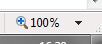
Sarah, did you check the percent-size -on the right-in Internet ?
What about you screen resolution ? Did you change that ? (Right clik on your desktop and depending on which OS you have : Properties or screen resolutions)
What about you screen resolution ? Did you change that ? (Right clik on your desktop and depending on which OS you have : Properties or screen resolutions)

33580✽
Hold down the control key and press the minus on the top row, to go big again hold control and press the plus sign, next to the minus. Have fun Sarah!
1 comment
You are soooo clever. Thank you Debra it has worked. Never too old to learn a new trick. LOL. Hugs Sarah.

12500✽
Sarah, on the right hand side of my computer screen is "Tools" icon. When I click on it their is a place to click on "Zoom". "Zoom" allows you to increase size of screen by percentages, 100% being normal size. Increasing this make the print larger for those who have difficulty seeing/reading. I, personally, keep mine at 125% to make reading a bit more comfortable for me. Hope this helps you.
Hugs, Angel
Hugs, Angel
2 comments
Thank you Angel. I tried Debra's trick first and it worked.

This is what I have always done - but a few weeks ago someone mentioned using the control key and moving the mouse wheel - I had never heard of that, so had to try it and that works great too.

30656✽
Hold down the CTRL key and move the wheel on your mouse forward or backwards.
1 comment
Thank you.
255066✽
This site is amazing. After only a few minutes I have loads of answers. Thank you ladies. * 4 all.

463491✽

211088✽
by
shirlener88
15 Jul 2012
+4✽
Sarah, I see you have the answer so I will leave you with a *

1 comment
Shirlene, wonderful to hear from you. I have missed you.