













360672✽
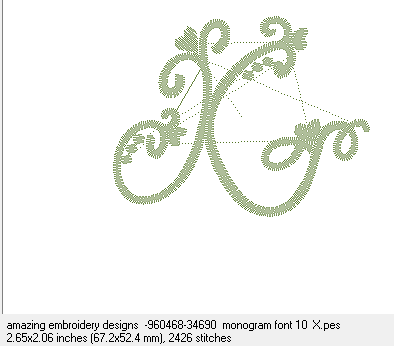
This is a really Dumb question but i have tried and i just don't get it ***Today on Amazing Embroidery(this is an example)I got the X and the picture.
How do they match them up ??the numbers are different ??Am i making sense??
Comments (6)

89895✽
I think I know what you are saying and after I download a design I change the name so they both match and stay together as a set.
5 comments
yes something like that but if you got all the alph. in a group and only numbers how do you tell what it is ??Like you say rename them i guess as you download ?? lolthanks
Example of the alphabet letter you downloaded: amazing embroidery designs -960468-34690 monogram font 10 X. I keep what the download says and add what it is "monogram font 10" and then add the alphabet letter. I do put spaces between the words also.
OK thanks for the ideas this is driving me mad trying to organize:(:(:(
What ever you come up with make it so you can find what you have downloaded that makes sense to you.

When I download I use 'save as', choose the folder and rename the design X-AED-mon10.
89895✽
I remembered you like to see images. lol
1 comment
i got it thanks

11329✽
by
debswebster
26 Aug 2012
+4✽
Before I save the d/loaded letter into the relevant file, I highlight the design number and press copy, then I save it. If I want to save the image, I paste the the design name over the image name. I now have the design file and image with the same name. I hope this is what you are referring to.
1 comment
yes it is thank-you hugs

173695✽
I put all the designs in 1 folder and PED Basic lists them out and they are in the order they were uploaded, the alphas are all together "naturally". Live Laugh Download Stitch! I also had no problem using 3D, so all the files are in a version I can use
1 comment
Thanks hugs

33986✽
I change the name of the design and also of the png with the design info and the jpg so it is the same. My husband has made a update and all my folders get in a total mess cause they changed into an alphabetic track :o(
Greetings, Bettina
Greetings, Bettina
5 comments
So you have 4 things in one folder for one design ??
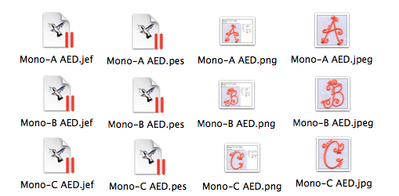
No I have one folder per alphabet and all the letters are there in rows like in the pic. Can you imagine how I was screaming when I opened the first folder with mixed designs (my fault didn't change the names) after the last update and everything was in a mess?
Greetings, Bettina
Greetings, Bettina
a mess? Will have to work at that until christmas...
Greetings, Bettina
Greetings, Bettina
oh dear now you know how i feel .I am getting there but in my day i never even learned to type,this is going on 4 years that i been on this beast and my old brain is really full.I am better with pictures to rather then written instructions.When i learned this site marjmax drew all pictures and i followed that .I was so happy and still am lol hugs
it was Marjmax that drew pictures and circles.I was so happy to see that as i learned this site with her help .I will always be thankful for those lovely pictures hugs carolyn
33986✽
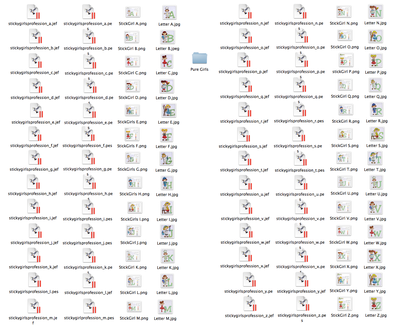
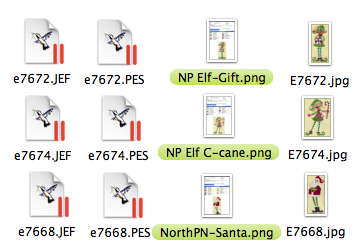
Carolyn this is how a folder of a complete alpha (stickgirlprofessions from CA) should look ( I have a Janome and a brother so I save jef and pes). In the mixed folders (like them of emblibrary) I have also the problem that the design has a number and under the description I write the name of the design. After the update the system puts 90% of my designs in the folders in an alphabetic row; looks like after a thunderstorm...
Greetings, Bettina
Greetings, Bettina
1 comment
I am getting it thanks for all the work you put into my help big hugs carolyn