








45071✽
Hi Cuties, some help please from those of you using Embird Studio. WHY oh WHY do I loose the grid in the middle of digitizing?? The only way to fix it is close Embird and open again, I DO save the grid as default but it chooses to ignore my commands????? Can anyone help? Thanks all
Comments (5)

140725✽
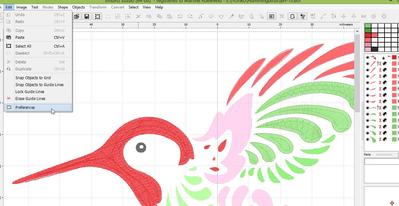
Mine does that sometimes, although not in the middle of digitising.) You can get it back through "preferences" in the edit menu. (Thanks again to Martine for giving me that information some time ago!)
45071✽
Many thanks Sue but when I perform this during digitizing then I loose the work space and most of the picture, have to close then reopen Embird! Hope someone comes with an answer.....
2 comments
I've just tried it and it doesn't affect my design - I wonder what we are doing differently? I expect Martine will be along soon - I'm sure she will know!
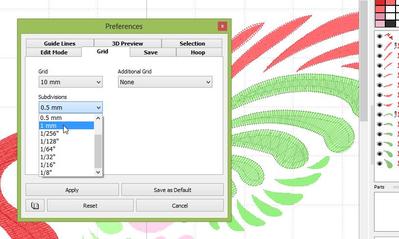
I have changed the grid during digitising, e.g. when I wanted a finer subdivision of the grid or wanted to change to inches when doing a request, and I never had to close Studio to do it, let alone Embird. I haven't a clou why that happens to you.
45071✽
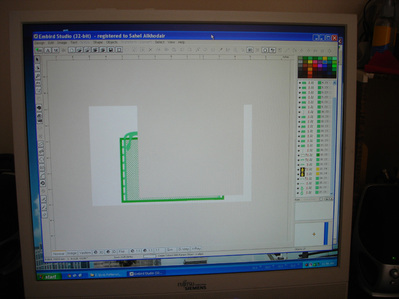
This is the screen I get after trying to 'fix' the grid in Studio, any digitizers out there who might know why?? I have Embird 2013

145307✽
My Embird is working on my new machine so I started a design. And changed the grid without problems. Here is what it looks like.
I must say this is the 64-bit but that looks exactly the same as the 32 on the other laptop.
I must say this is the 64-bit but that looks exactly the same as the 32 on the other laptop.
2 comments
I don't know why it does not work for you. Was it always like this? you might consider re-installing Studio.

While I don't have Embird, based on what I can see from the picture -- you should re-install the program. There is a small chance it is your video card -- but a re-install would confirm or eliminate that.
45071✽